This is the full record of one real video: a 42-second brand film for goodpmm.com that asks “What is a good PMM?”. It took four versions over two Claude Code sessions, and the last one added a voiceover and music from ElevenLabs. Use it to see what lesson 1 looks like on a real job, including the rounds that missed and what each one cost.
It's a code-rendered video. Claude wrote a program that draws every frame, so the words on screen are the script's words, letter for letter, and a change to one scene can't break another. Jase directed, wrote the script and gave the feedback; Claude built it.
Worked example
Four versions, and what each one changed
Jase's first note was loose on purpose: “That's the vibe, kinda British… maybe like a car commercial for a Toyota Sienna van, like great but kinda boring.” Each version tried one reading of it. A code-based tool makes that affordable, because each new version is a program you render again.
| Version | What it looked like | Jase's verdict | What changed next |
|---|---|---|---|
| 1 | One notepad, handwriting, words scribbled out | “Boring and ugly, too much of that.” | Animated type instead of a page |
| 2 | Bouncy type, colour cards, confetti, screen shake | “Feels like a mid-2000s Macromedia Flash site, not in an ironic way.” Also: “maybe 6% slower.” | One typeface, Apple's greys, one accent colour, nothing bounces, every move 6% slower |
| 3 | Black and light grey, words fading up out of a blur; 31.8 seconds, no sound | The direction to build on, but the script had been tidied | Script back to Jase's words; a storyboard of two directions; voice and music |
| 4 | Direction A from the storyboard, every word timed to the voice; 42 seconds | Picked over direction B: “the car thing isn't landing for me” | Voice and music picks, then a 9:16 cut for phones |
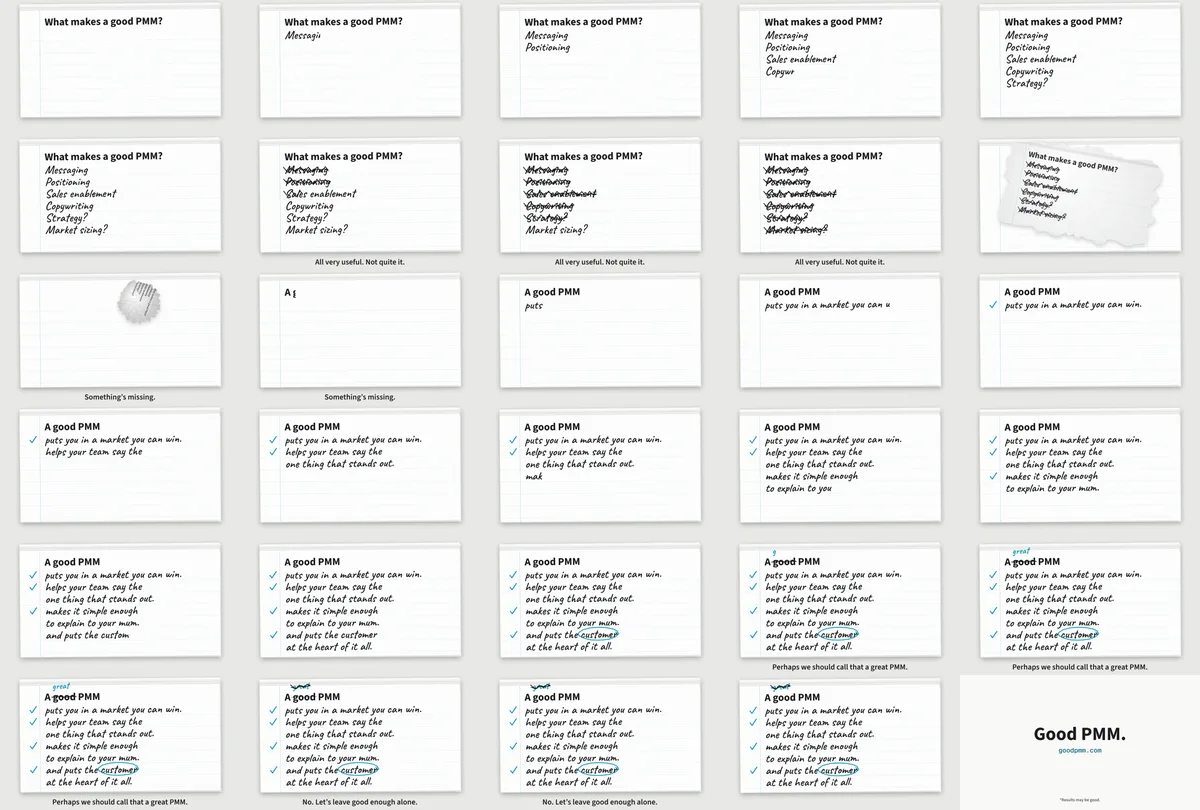
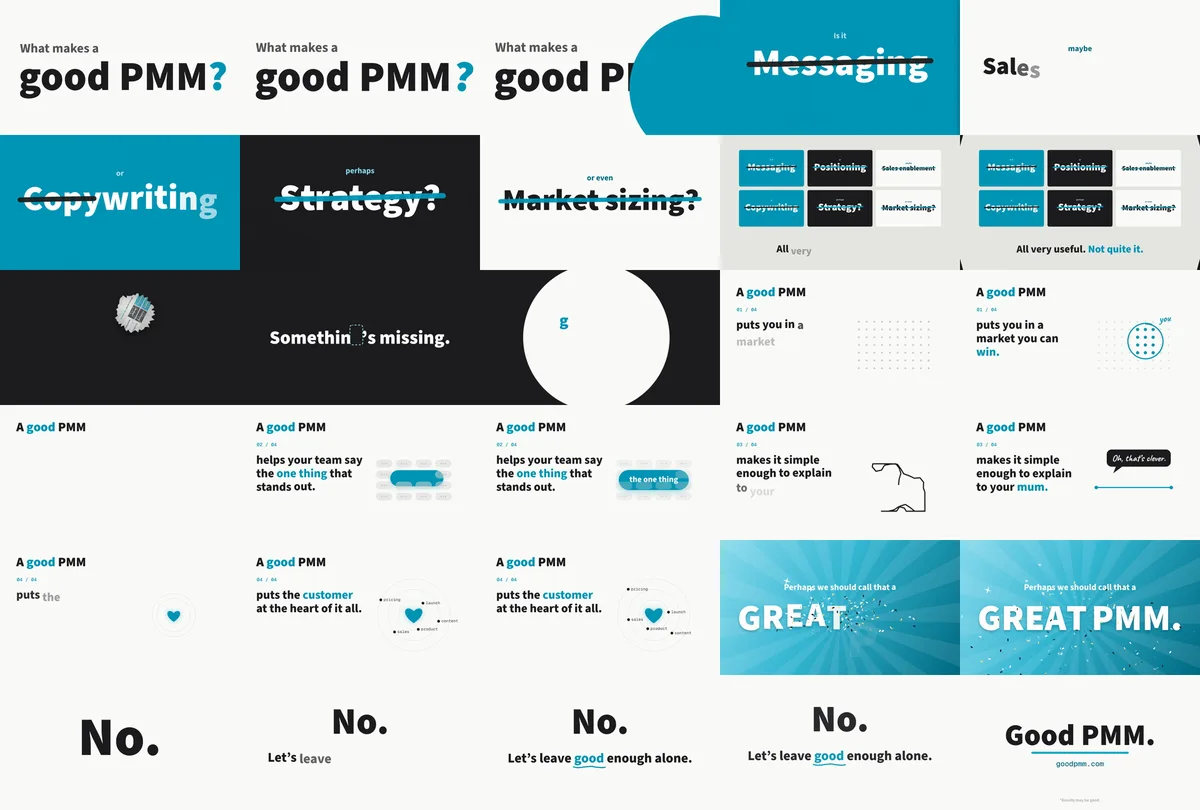
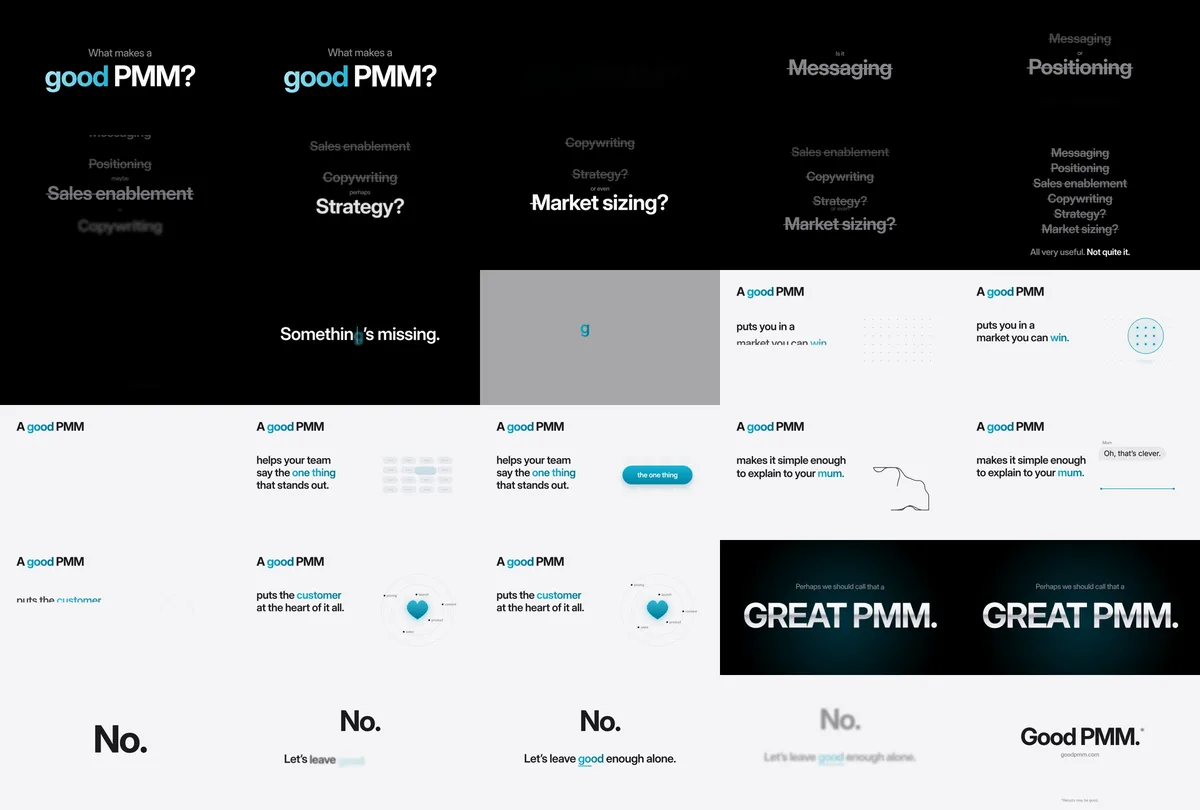
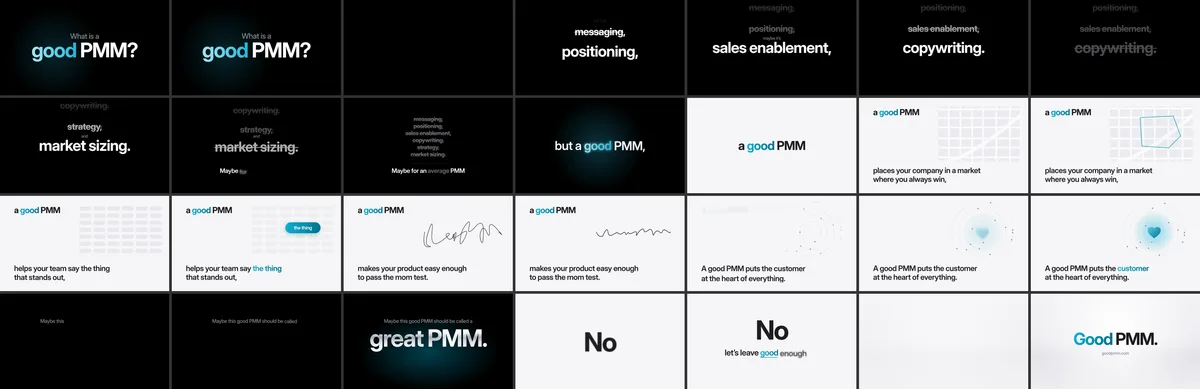
In version 3, one line in the brief caused a redo. The first brief said “clean it up a bit on the script”, so Claude rewrote lines: the title became “What makes a good PMM?” instead of “What is a good PMM?”. When Jase decided his script should stand as written, every line on screen had to change back. Once the words are final, say so in the brief: “Use these words as written, including punctuation.”
The storyboard
Test the storyboard before you build
Before version 4, Claude rendered 26 stills with the same fonts and colours the video would use: 11 keyframes for each of two directions, and three for a phone-shaped cut. Direction A, Keynote, was version 3 made bigger and calmer. Direction B, Showroom, played the Sienna note straight, as a letterboxed car ad. A still takes minutes to make and change. A full render with audio takes longer, and the audio costs credits.
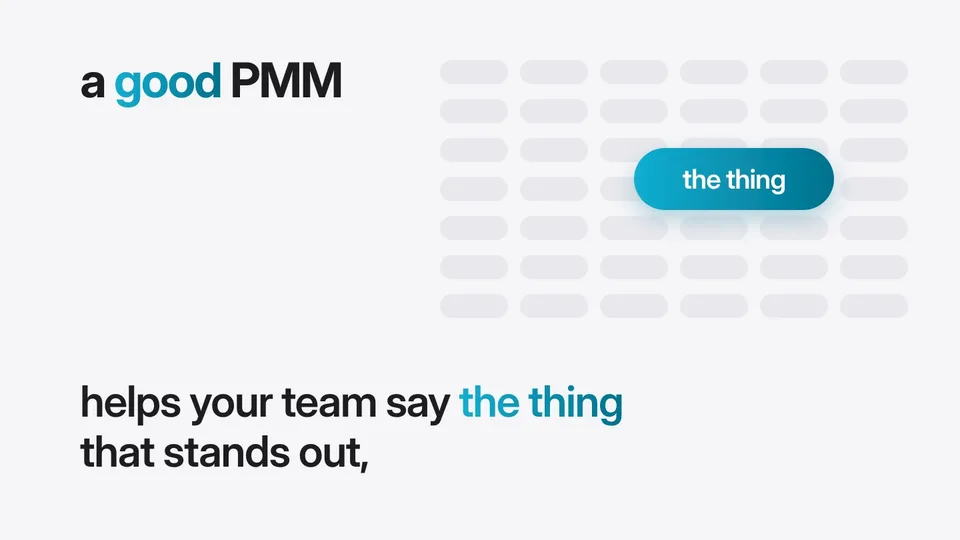
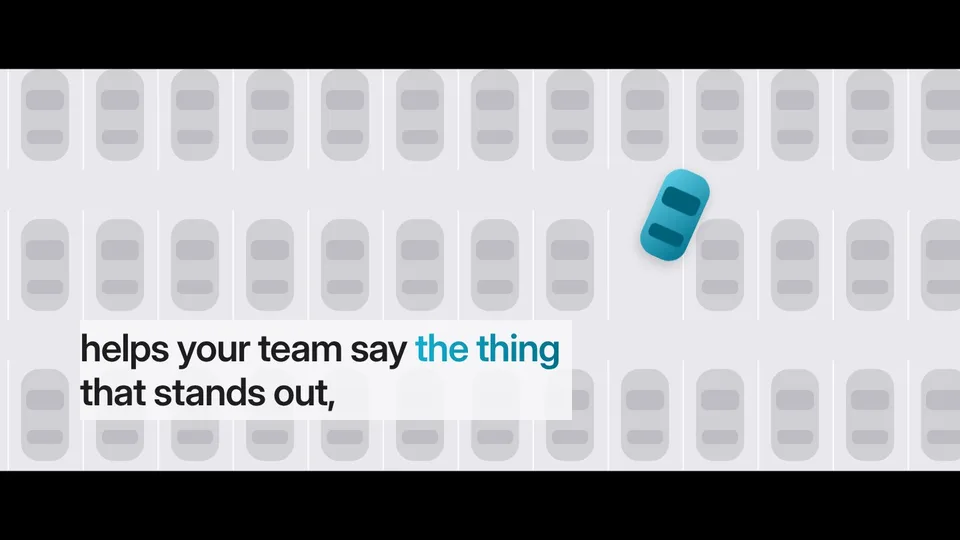
Jase answered the storyboard in one message, and it settled four things. Direction A won. A few of B's visuals stayed: the map, a light glint on the heading and the studio floor behind the end card. The end card lost its fine print (“it's ugly”). Every word stays on screen.
That last one came from a question the storyboard asked. A voiceover that reads the words on screen repeats itself, so the board offered a second option: key words only, with a small caption. Jase kept every word: “many people scroll on silent on their phones, so we need the repetition.” Deciding that on two stills cost nothing. Deciding it after a full render would have meant rebuilding every line.
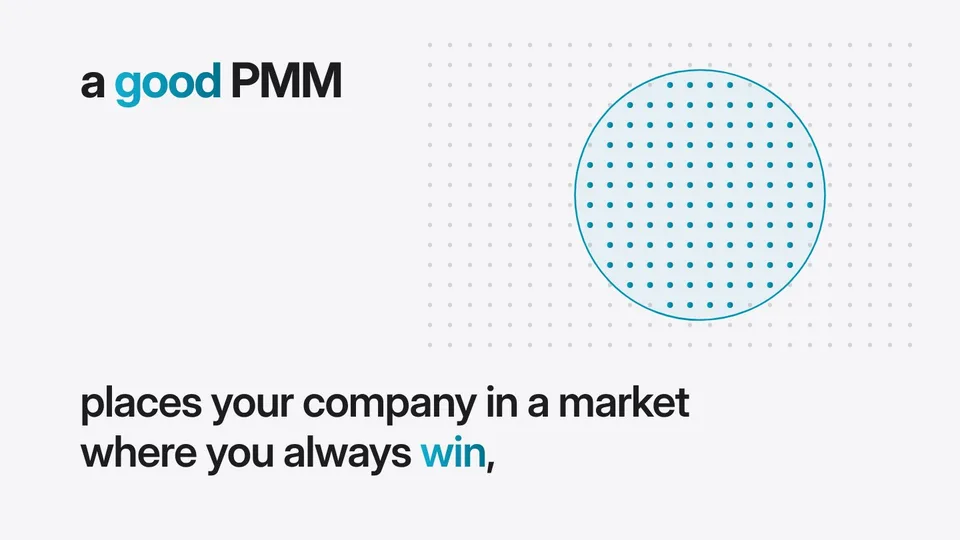
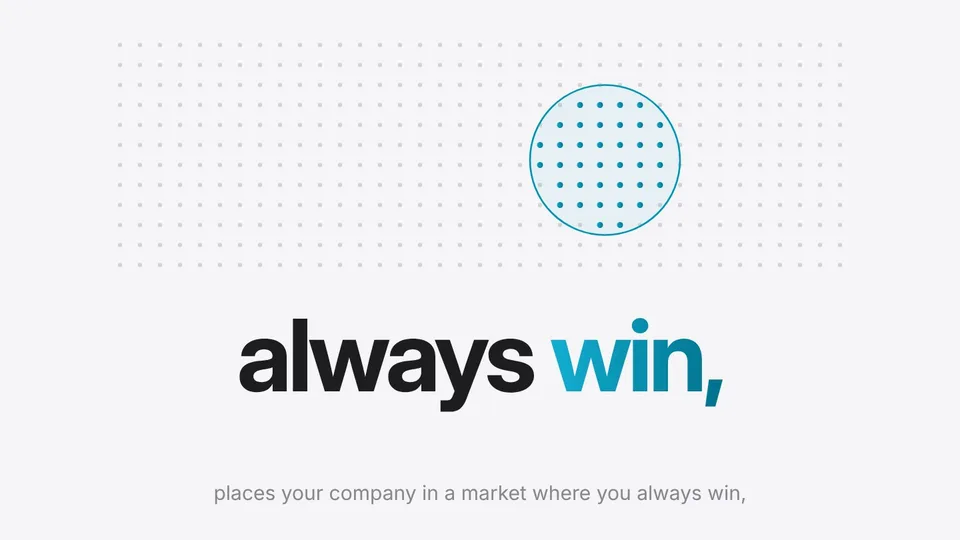
The storyboard also drew on Jase's notes on film and design, kept as the kind of maintained wiki lesson 2 describes. Three of them changed the frames:
- Bruce Block's The Visual Story: contrast raises a picture's intensity and similarity lowers it. Version 3 sat at one level throughout. Version 4 builds to one bright moment, the chrome “great PMM.”, then goes still.
- Walter Murch's In the Blink of an Eye: cut for the feeling first. The music stops dead when the chrome freezes, so “No” lands in silence.
- Arthur Wesley Dow's Composition: one thing leads each frame. Version 3's drawings were thumbnail-sized; in version 4 each fills half the frame.
Voice and music
Adding a voiceover and music with ElevenLabs
ElevenLabs makes both, and it connects to Claude as a connector, so Claude could generate the audio, download it and mix it in the same session. Jase signed up for the Starter plan, which came with 40,000 credits a month, and added the connector.
Pick voices. Claude searched ElevenLabs' library for British narrators and chose four: Chris Brift, George, Alice and Lily.
Library voices are ready to use. Designing a new voice is a separate step you only need for a brand voice.
Generate takes. Each voice read the full script twice, with audio tags such as
[deadpan]and[long pause]to set the delivery.Generate music. Two light instrumental beds, felt piano and a marimba-and-guitar track, two takes each, 42 seconds long.
Get word timings. A transcription of each take returned when every word starts and ends, at no cost.
The video reads those timings, so each word appears as it's spoken. Switching to another voice needs new timings and a re-render, nothing else.
Mix. FFmpeg put the music about 17 dB under the voice, cut it at the chrome freeze and brought it back under the end card.
Check by measuring and by ear. Claude can't listen, so it measured the loudness of each section. That showed the first piano take fades out at 36 seconds, which would have left the end card silent. The cut uses the second take. The voice is Jase's call, by ear.
At first, the cloud session's network blocked the server ElevenLabs sends files from, so the session's environment had to allow that address before anything would download.
Where the credits went
| What | Count | Credits each | Total |
|---|---|---|---|
| Voice takes, full script | 8 | 571 | 4,568 |
| Music takes, 42 seconds | 4 | 630 | 2,520 |
| Transcriptions | 8 | 0 | 0 |
| Total | 7,088 of 40,000 |
Two things drove the voice cost. ElevenLabs bills speech by the character, and the connector makes two takes per request unless you ask for one, so trying four voices on the full script meant eight full reads. The audio tags are billed too. Each take sent 571 characters: 488 of script and 83 of tags and pause marks, about 15% of every take.
Claude asked for a price before the music run. The estimate for the four takes was 8,400 credits, and the charge was 2,520. Treat the estimate as a ceiling.
A cheaper order for next time: audition each voice on the opening line (96 characters), pick one, make two full takes of it, and make one take of each music bed. That comes to 2,786 credits, about 61% less for the same choices.
What went wrong
Five problems, and the fixes
Every problem here passed a render with no errors, the same as in lesson 1's worked example. They were found by looking at a contact sheet and stills, and by measuring the audio.
| Problem | Cause | Fix |
|---|---|---|
| Version 3 changed the script's words | The brief asked to “clean it up a bit” | Script locked; the video reads its words from one place |
| One scene's text came out in a serif font | A font weight only loaded the first time it was used, a frame too late | Load every weight before drawing the first frame |
| The list vanished when the camera pulled back | A colour blend produced an invalid colour, so the text drew black on black | Fixed the blend; caught on the contact sheet |
| Mirror reflections under the big words looked garbled | Too strong for flat type | Removed |
| The end card would have been silent | The first piano take fades out at 36 seconds | Measured each section; switched to take 2 |
Your turn
You need a voiceover for a 60-word script
You haven't picked a voice yet, and your plan's credits have to last the month. What do you do first?
Read the full script in five voices to compare them.
What happens
With two takes per request, that's ten full reads, and you'll use one of them.
Every take re-reads the whole script, and you pay per character each time.
Audition five voices on one line, then do full takes of one.
What happens
You hear every voice say the same words, so they're fair to compare, for a fraction of the credits.
One line is enough to judge a voice. Full takes are for the one you'll use.
Add a delivery tag to every sentence to get it right first time.
What happens
The takes cost more, and the tags pull the delivery in different directions.
Tags are billed as characters in every take. Put one where the delivery changes, and a pause where you want one.
Takeaway
What you can do now
You can run a brand video the way this one was run: lock the words, agree a storyboard on real stills, build, check it on a phone with the sound off, then add voice and music in the order that spends the fewest credits. If you want notes like the ones the storyboard drew on, lesson 2 shows how to set them up.
How to
How to make your next brand video this way
Lock the script. Paste it with: “Use these words as written, including punctuation, on screen and in any voiceover.”
Ask for a storyboard of real stills.
Before you build anything, render 8 to 12 keyframes of the video as
still images, with the real fonts and colours, for two different
directions. Under each still, show the script line and a one-line
motion note. Don't render the video until I pick a direction.
Pick, and name the feeling. Say what it reminds you of and what you want instead.
Build, then review by looking. Ask for a contact sheet (one frame per second) and stills at phone width, and watch it on a phone with the sound off.
Add the voice. With the ElevenLabs connector added in Claude:
Audition four voices that fit the brief on the first line only, one
take each. When I pick one, make two full takes of the script, and
get word timings so each word appears on screen as it's spoken.
Add the music. “One take each of two light instrumental beds, as long as the video, mixed well under the voice.” Listen on a phone speaker and on headphones.
Done when the video works muted on a phone, every word matches the script, and you've listened to the final mix.
Sources and fact check
Everything on this page comes from the project's own files and runs, 17 November 2026: the render code and contact sheets in this site's repository, Jase's written feedback, and the credit figures from his ElevenLabs account, read through the connector.
- Render code, storyboard stills and build notes:
tools/video/good-pmm-v4/in the goodpmm repository; versions 1 to 3 on the branch that built them.primary - Credits, plan allowance and per-take costs: ElevenLabs account usage and generation records, 17 November 2026.primary
- Bruce Block, The Visual Story (3rd ed., 2013); Walter Murch, In the Blink of an Eye (2nd ed., 2001); Arthur Wesley Dow, Composition (1913), as condensed in Jase's knowledge hub.third party
- ElevenLabs: Pricing, for current plans; check it before you pay, as prices change.vendor